Hello,
Yes, of course.
From the previous techniques that everyone has touched upon. Here is what I experienced:
A. With BuiltWith
Step 1– I added the extension from the Chrome Web Store by clinking on the Add to Chrome.
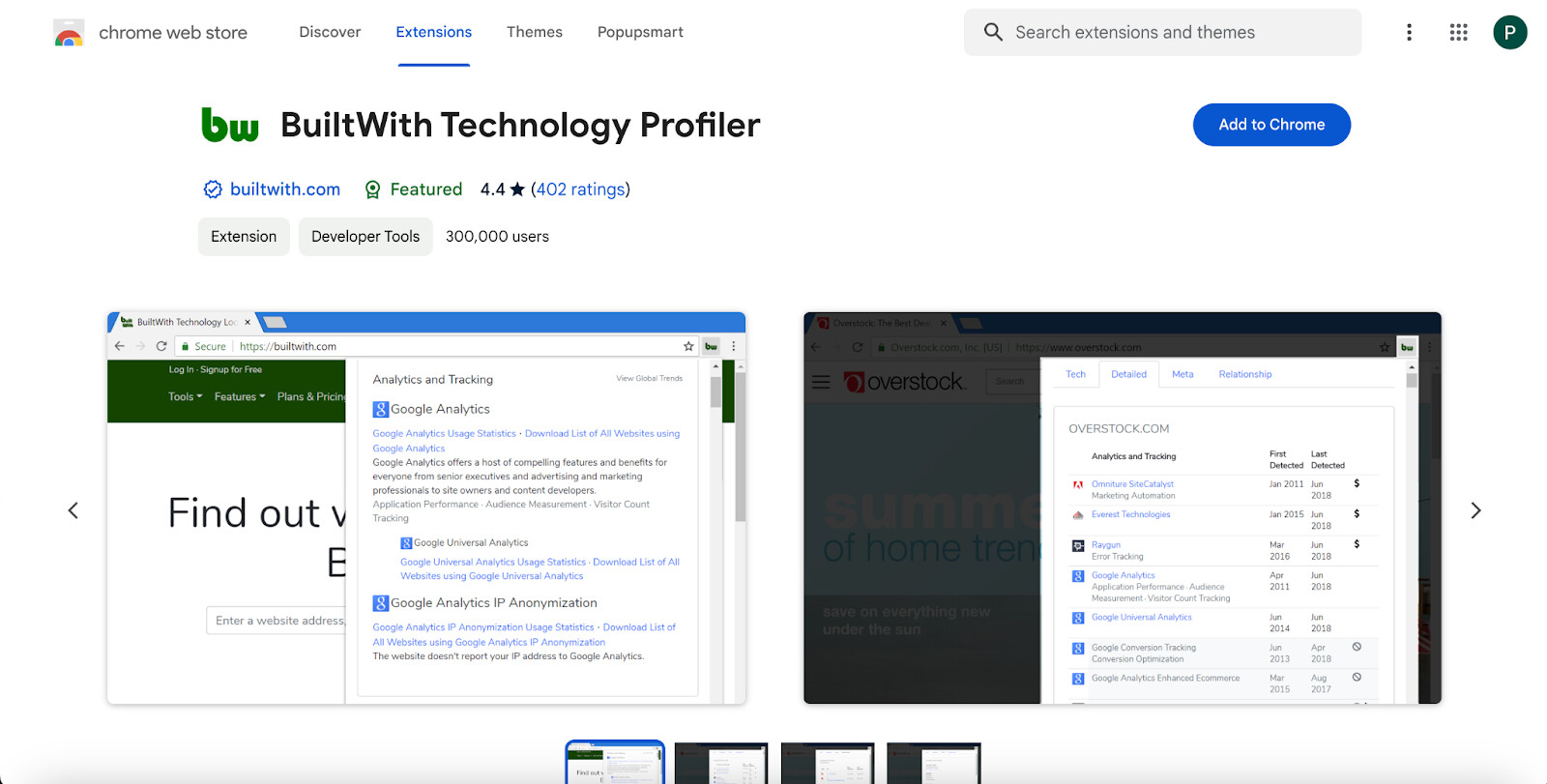
Here is the link if you have an issue while finding: BuiltWith Chrome Extension
Step 2- Then, you need to go to your target website and click on the extension that you pinned or didn’t pin 
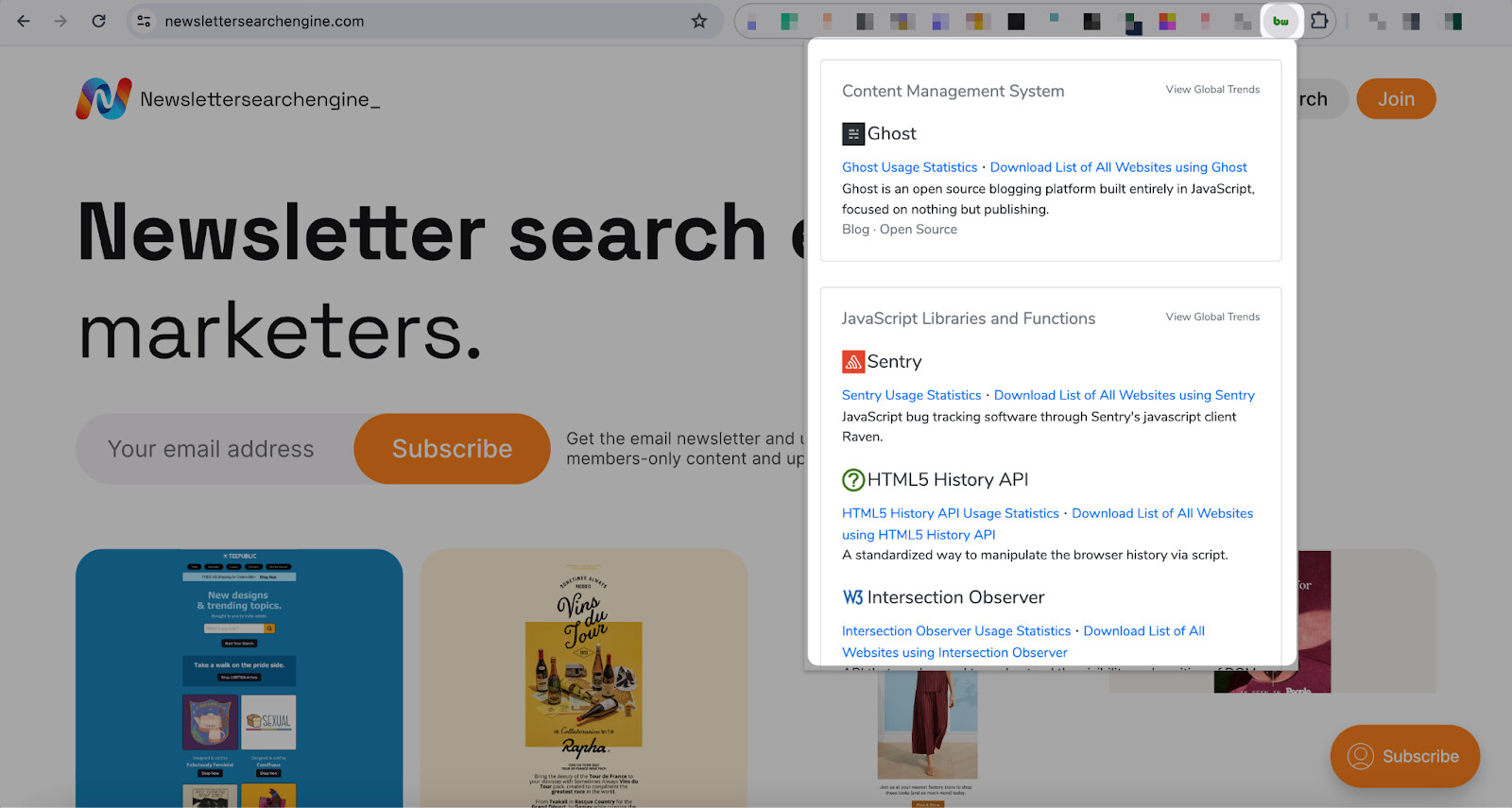
You can clearly view the CMS by scrolling down the extension-provided information.
There are other details of Newslettersearchengine.com that are possible as well if you want to take a glance at them.
B. From the Page Source of the Website
Though this method is more difficult than the previous one, you can still access the CMS of a target website.
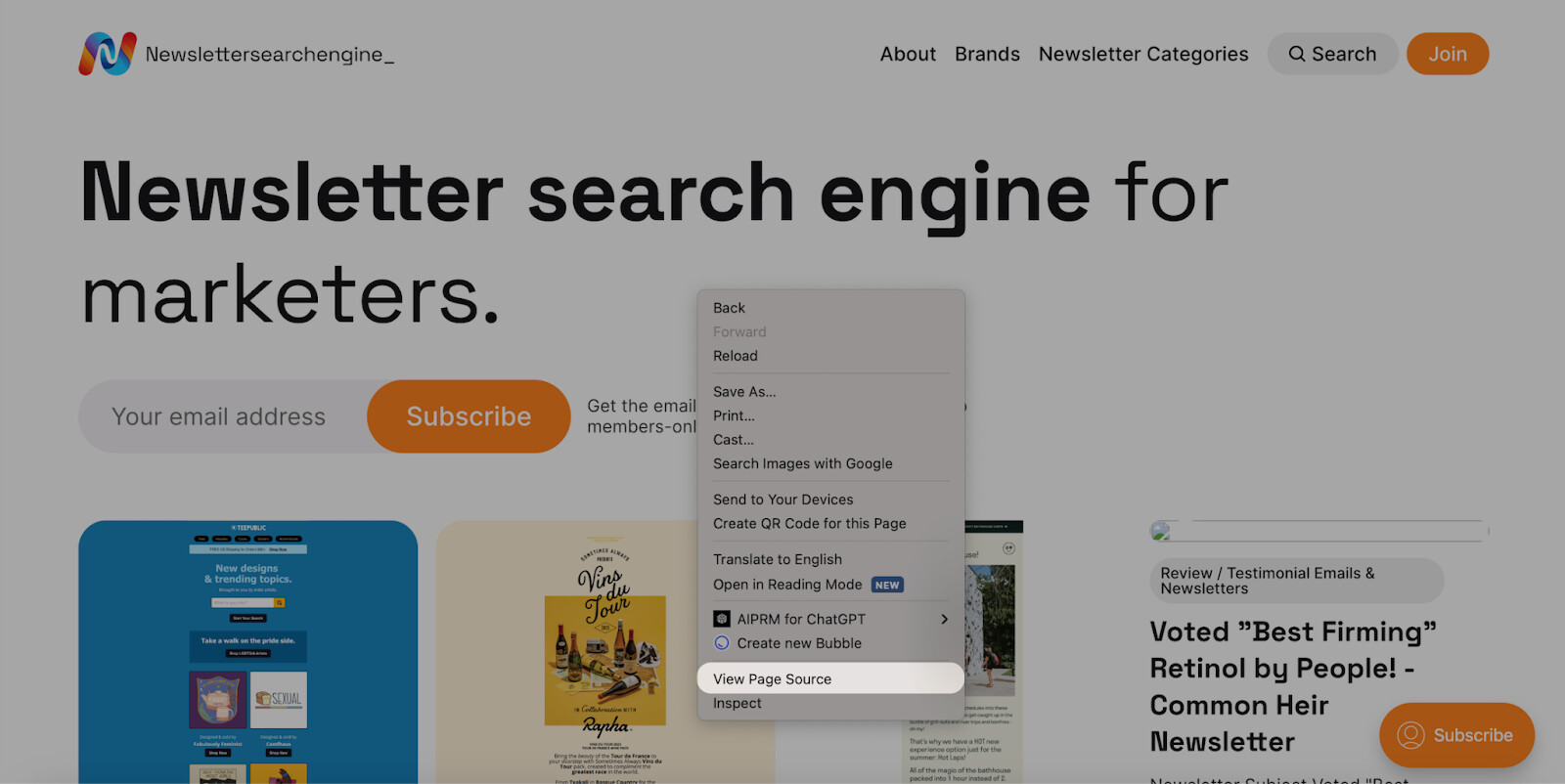
Now, you need to find the page source of Newslettersearchengine.com by right-clicking and choosing the “View Page Source” option.
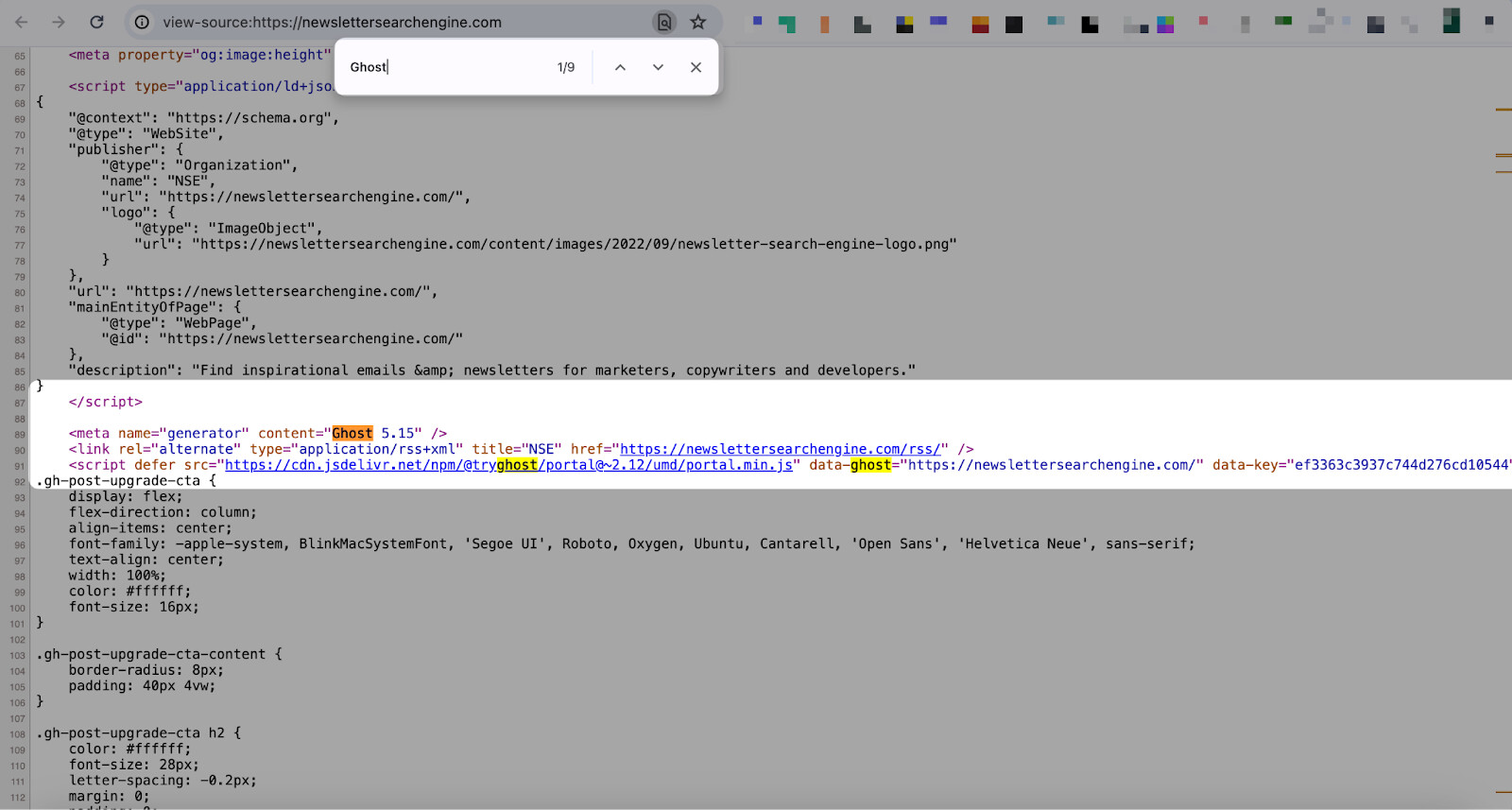
Later, you should check the CMS from the page source by searching with “CTRL + F” or “CMD + F”.
Try writing the CMS you know to find the right one that matches.
For this, you can get inspiration from headless CMS platforms.
There are other content that Popupsmart can help you with.
I hope I can provide enough information that can help you.
Don’t hesitate to share your questions and the process! Good luckk!