Hey everyone! I’ve been working on optimizing lead capture on my LeadPages site and looking for solid popup solutions. I’ve used the built-in LeadPages popup builder before, but I want to explore better customization, targeting, and analytics.
I’ve been eyeing Popupsmart and tools like Picreel and WiserNotify, but not sure which one is best for LeadPages.
Anyone here using Popupsmart with LeadPages? What’s the integration like? Would love your tips or walkthroughs!
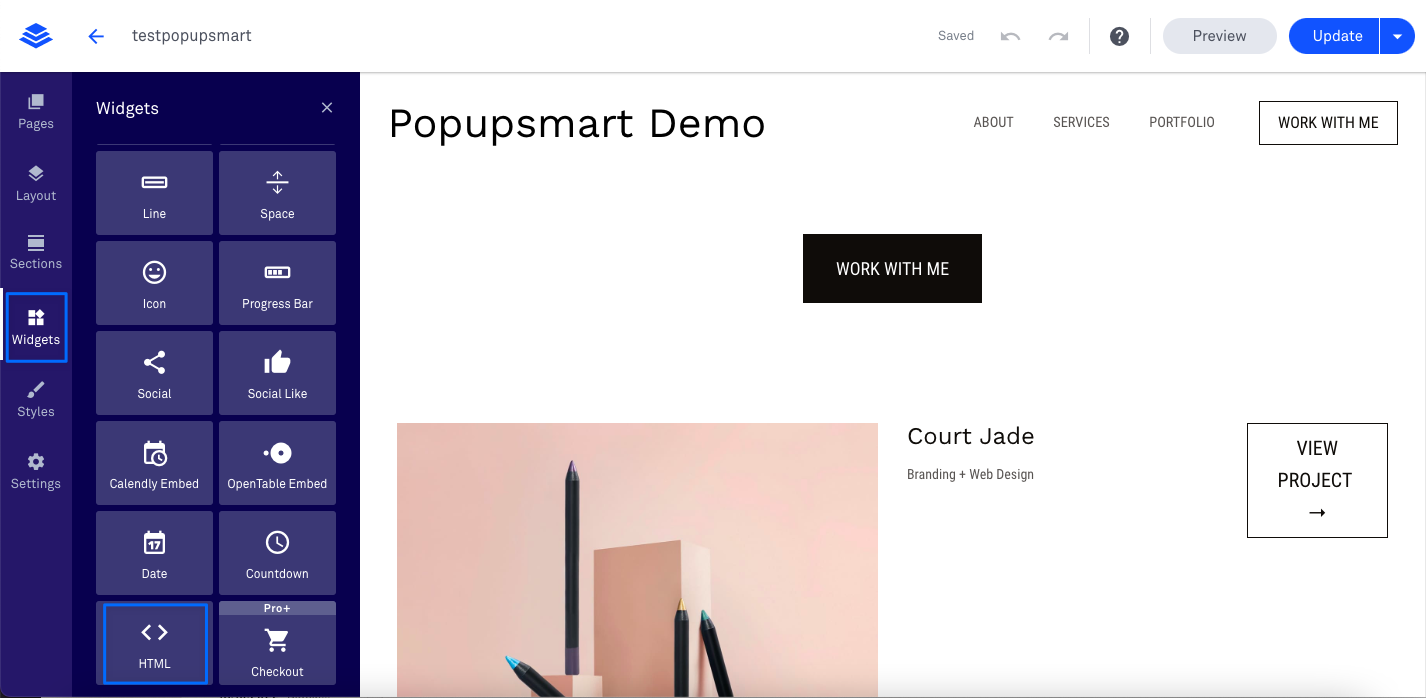
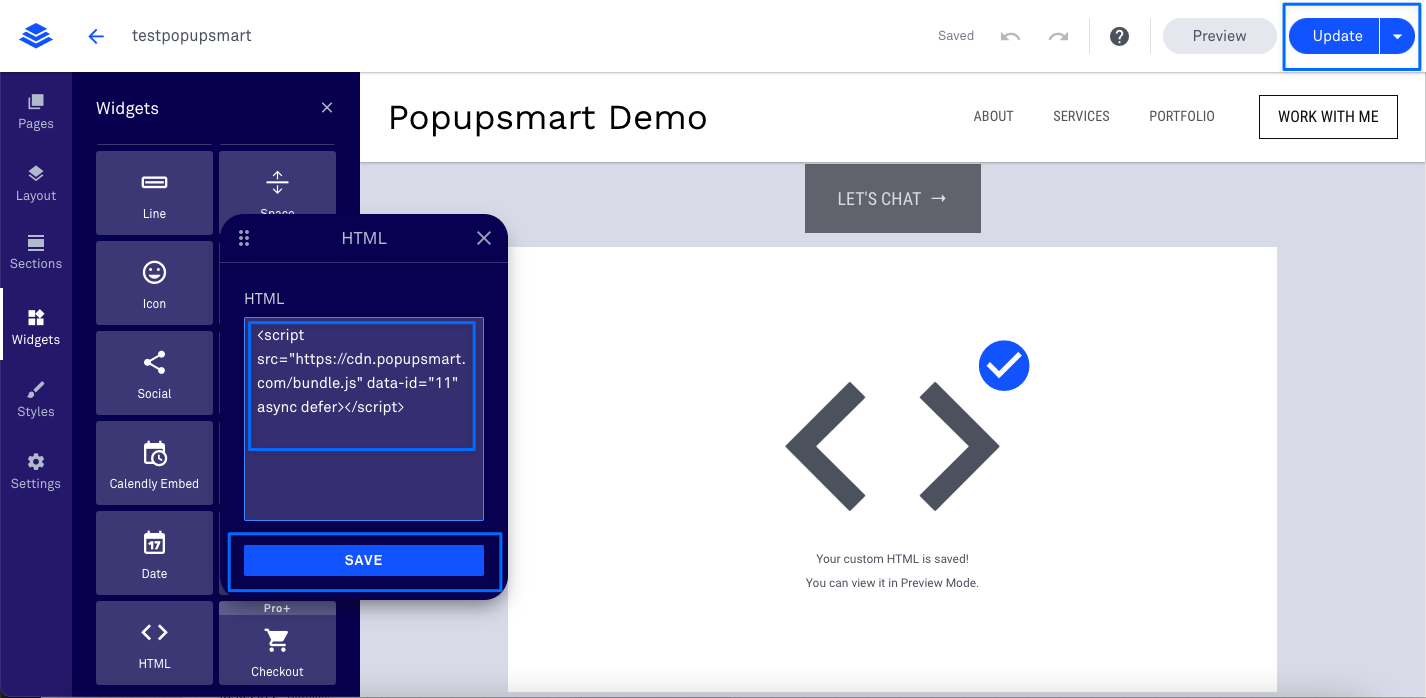
7. Drag and drop the HTML widget to the footer section of your website. Then, paste your Popupsmart embed code to the HTML widget, as shown below. When you are finished, click on the “Update” button.
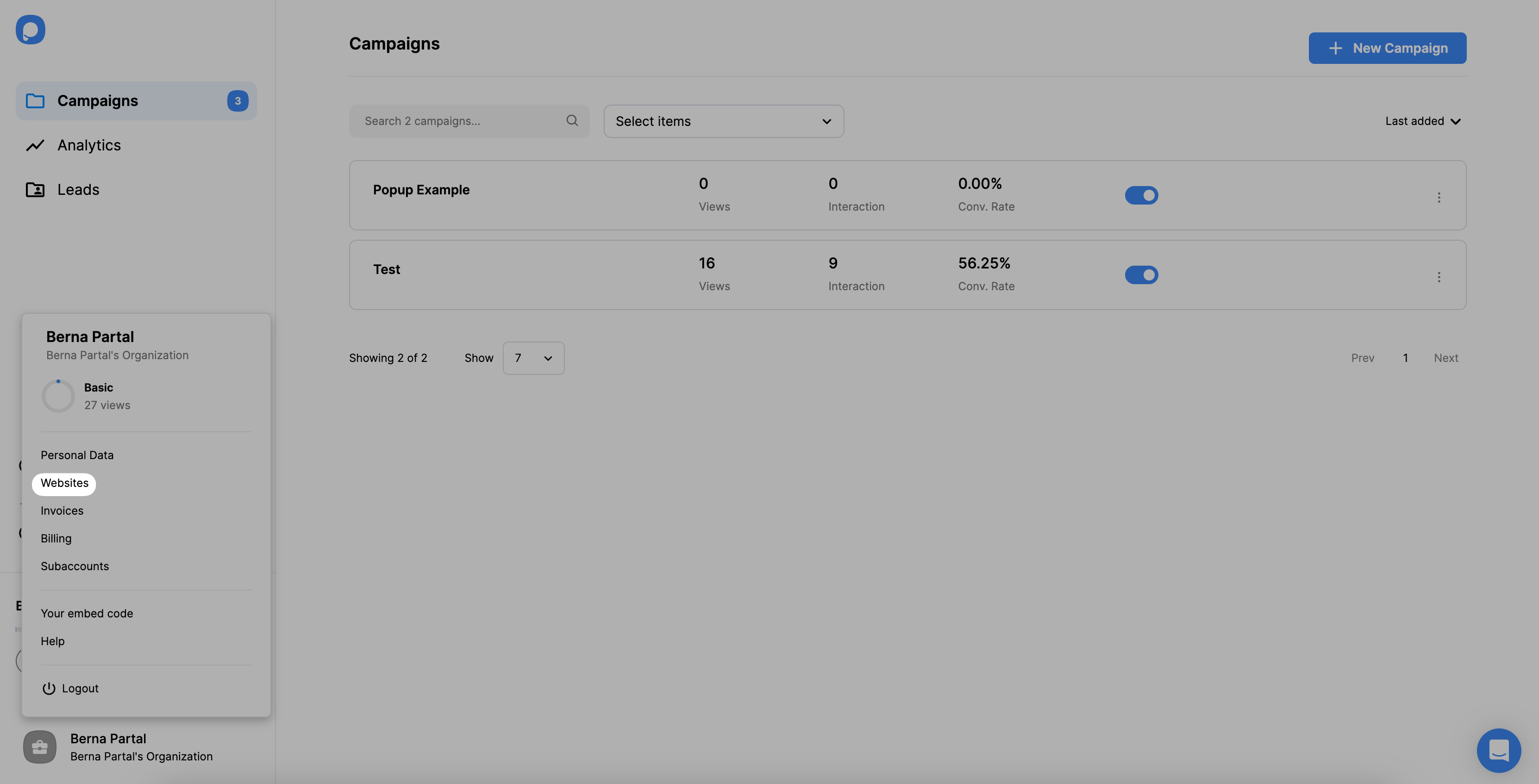
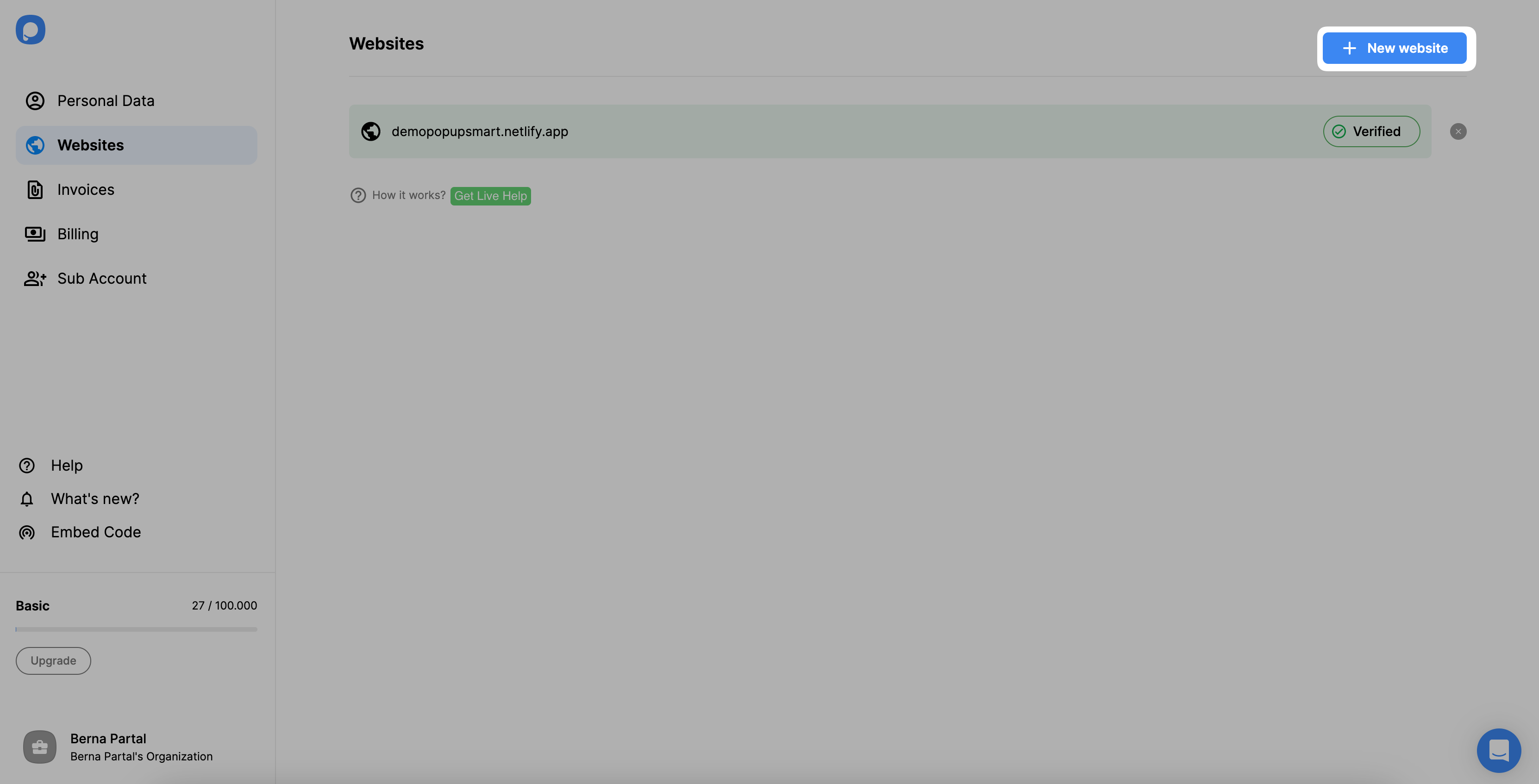
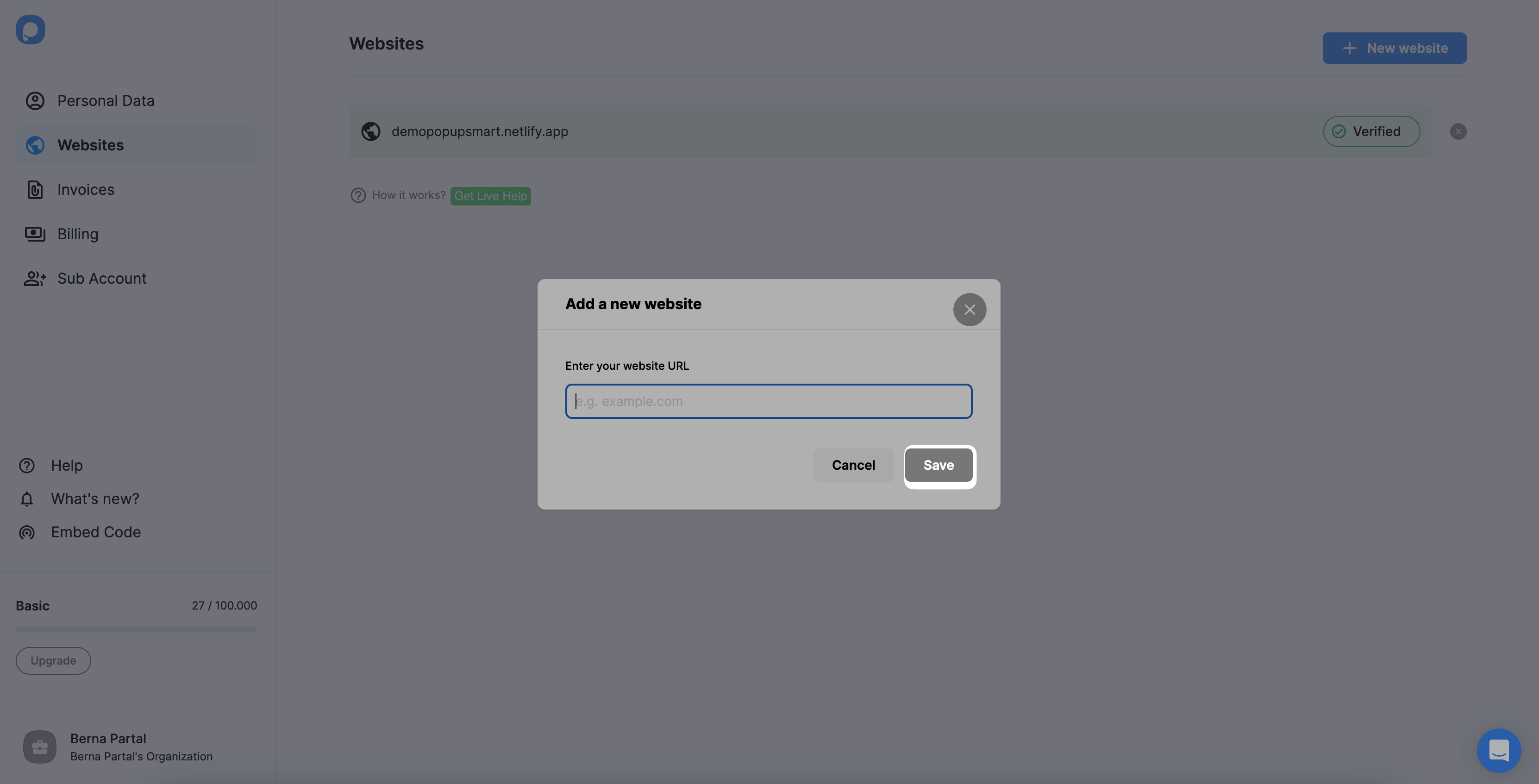
If you see your website unverified, click the “Unverified” button and from the opening modal, click “Verify website” then return to your dashboard and click “Refresh”.
I’ll just emphasize something many users miss—you don’t need a plugin for this integration. Popupsmart works with any CMS, including LeadPages, with just the embed script. And it’s fully compatible with Google Tag Manager too.
Also, for devs or power users, you can connect it to CRMs like HubSpot, Mailchimp, or Zapier with just a few clicks. See all integration options here: Popupsmart Integrations
@dolay-irem yesss, same here! But just a heads-up to everyone—
Common MISTAKES to Avoid:
Don’t spam visitors with multiple popups.
Avoid large/intrusive popups on mobile.
Use exit-intent or scroll triggers.
Always give users an easy way to close popups.
I’ve been using Popupsmart with a scroll-depth trigger—super helpful for getting engagement without being annoying. A/B testing helped me go from 2% to 6.5% conversion
 I’ve been working on optimizing lead capture on my LeadPages site and looking for solid popup solutions. I’ve used the built-in LeadPages popup builder before, but I want to explore better customization, targeting, and analytics.
 Anyone here using Popupsmart with LeadPages? What’s the integration like? Would love your tips or walkthroughs!
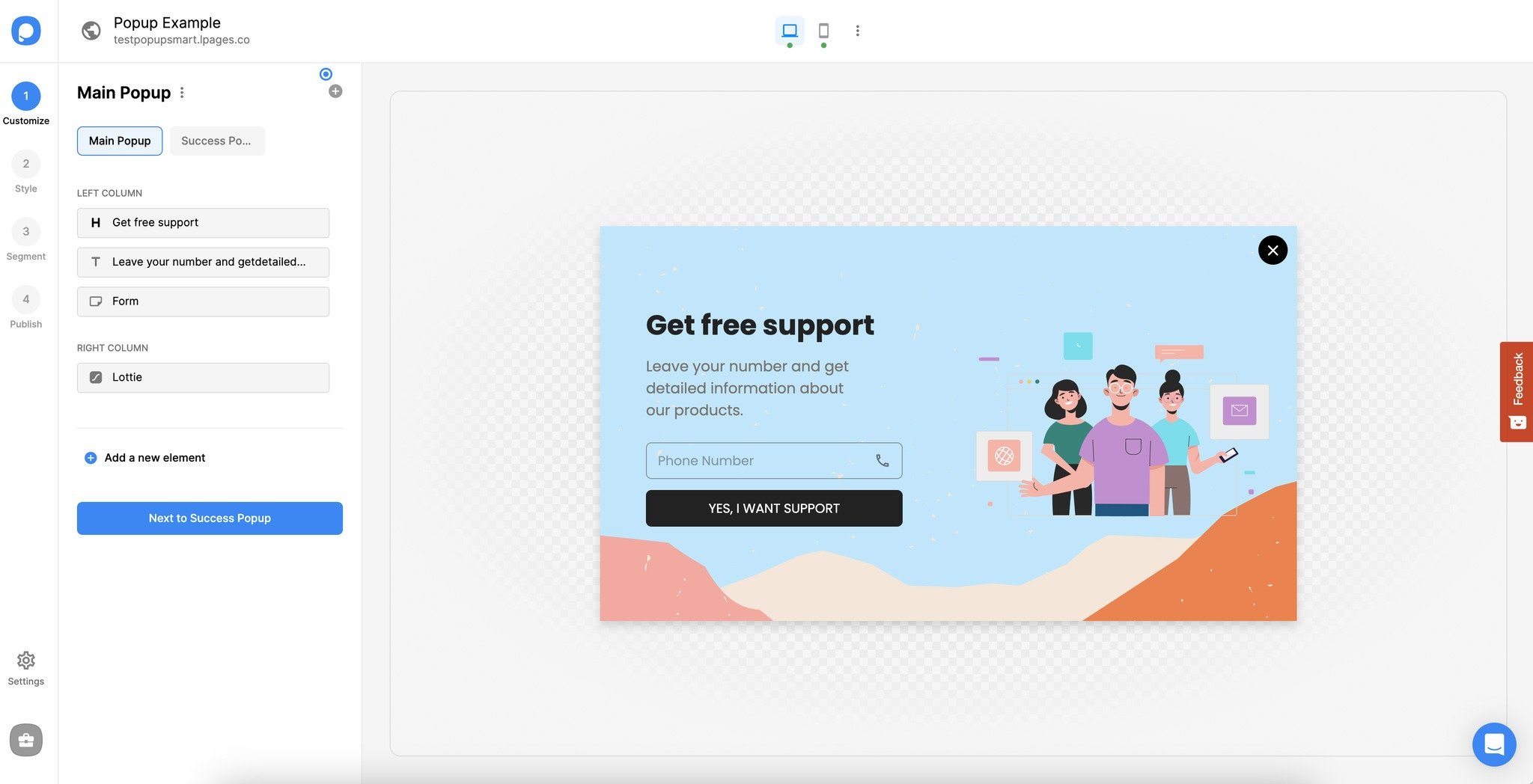
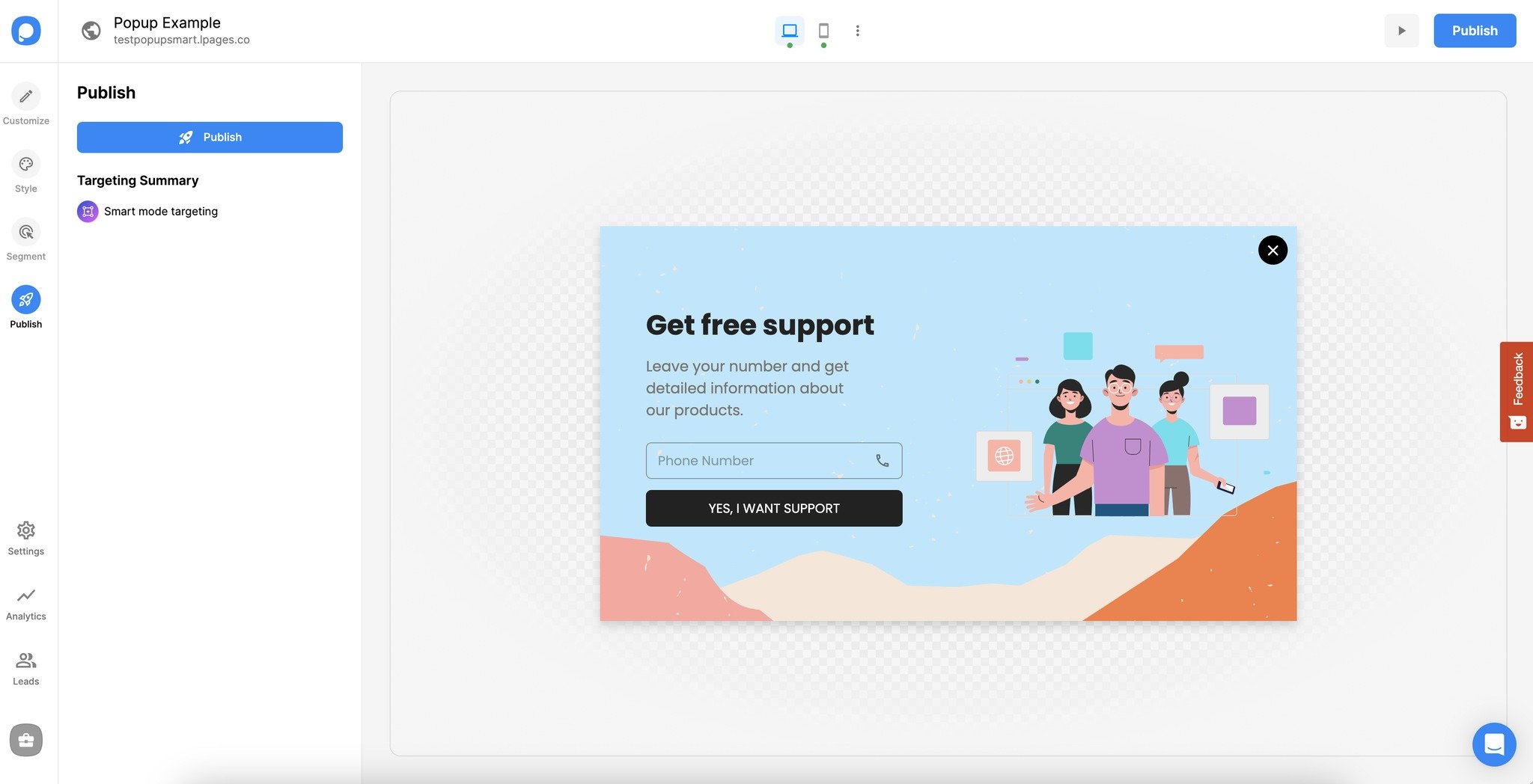
 Here’s How I Set Up My Popupsmart Popup on LeadPages:
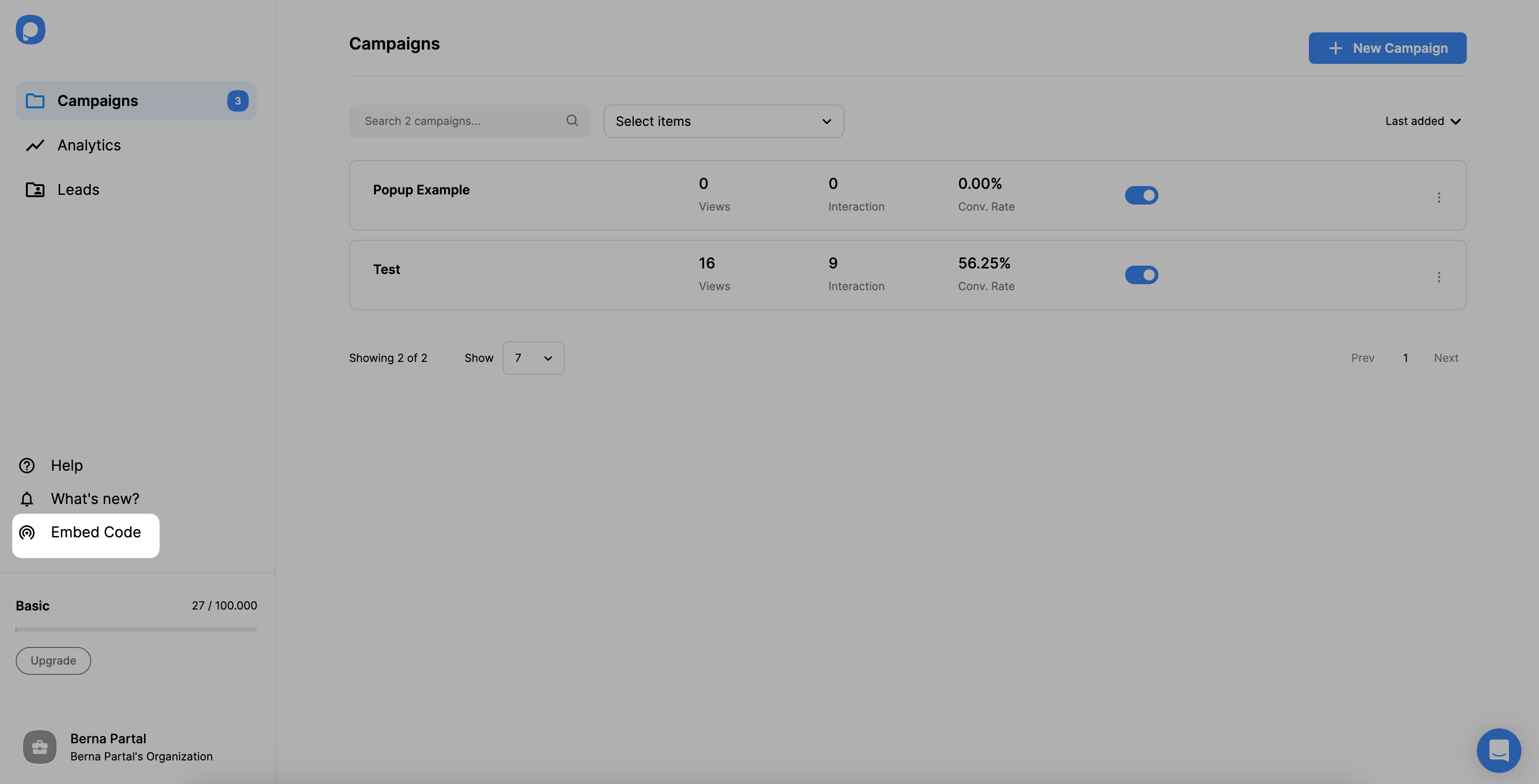
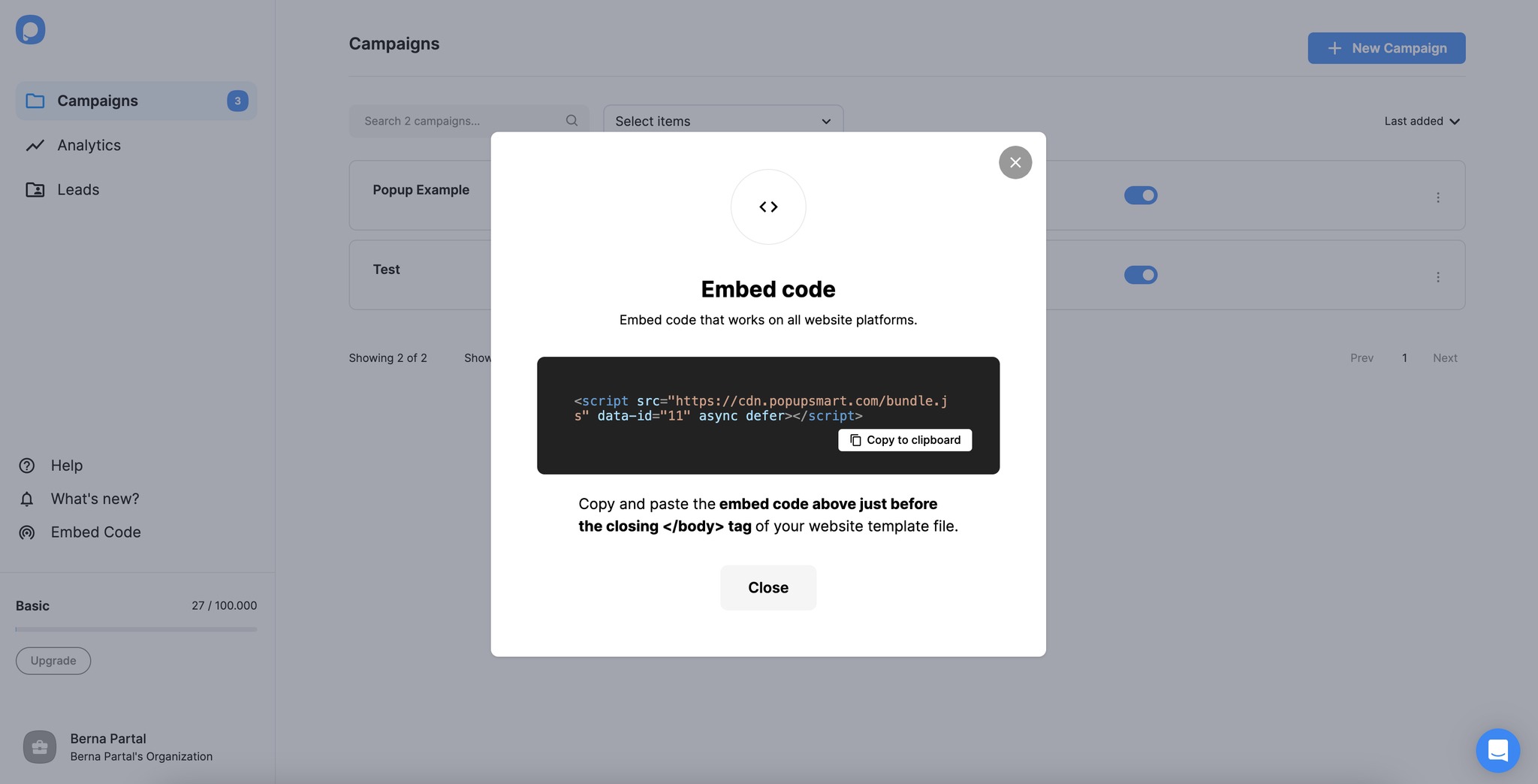
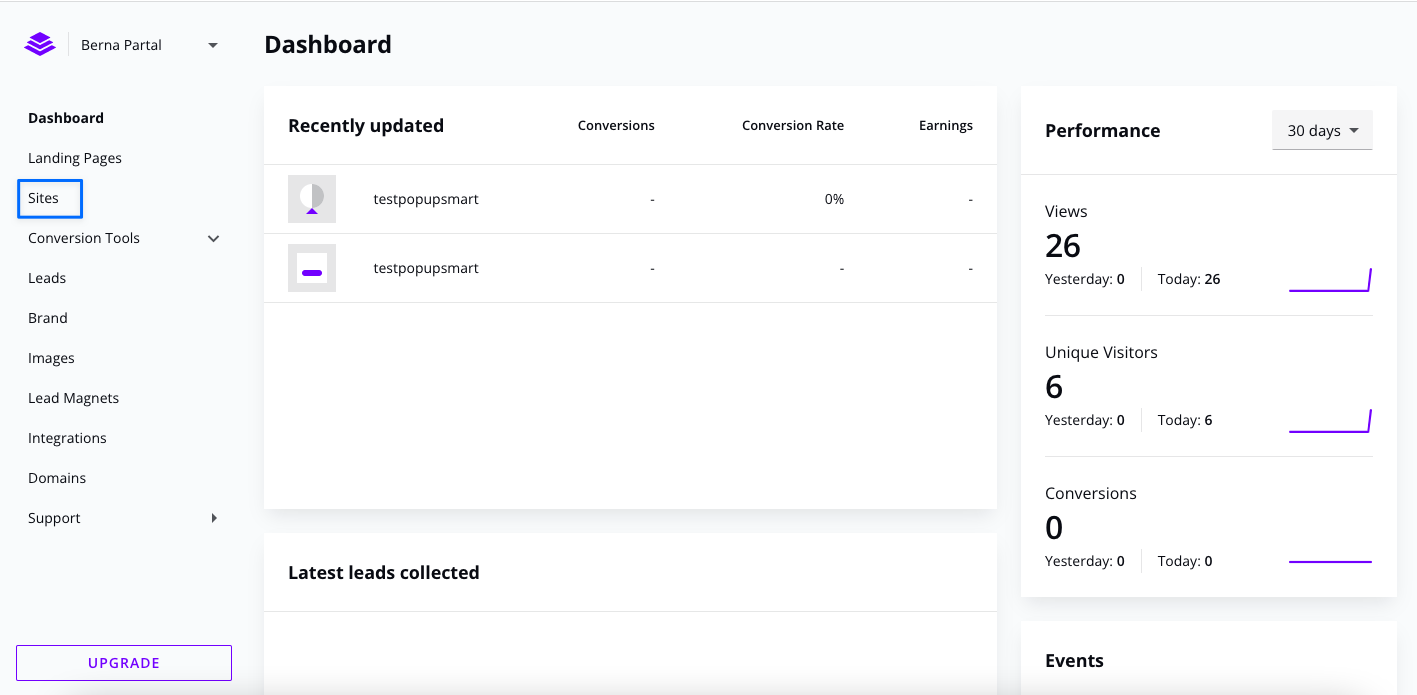
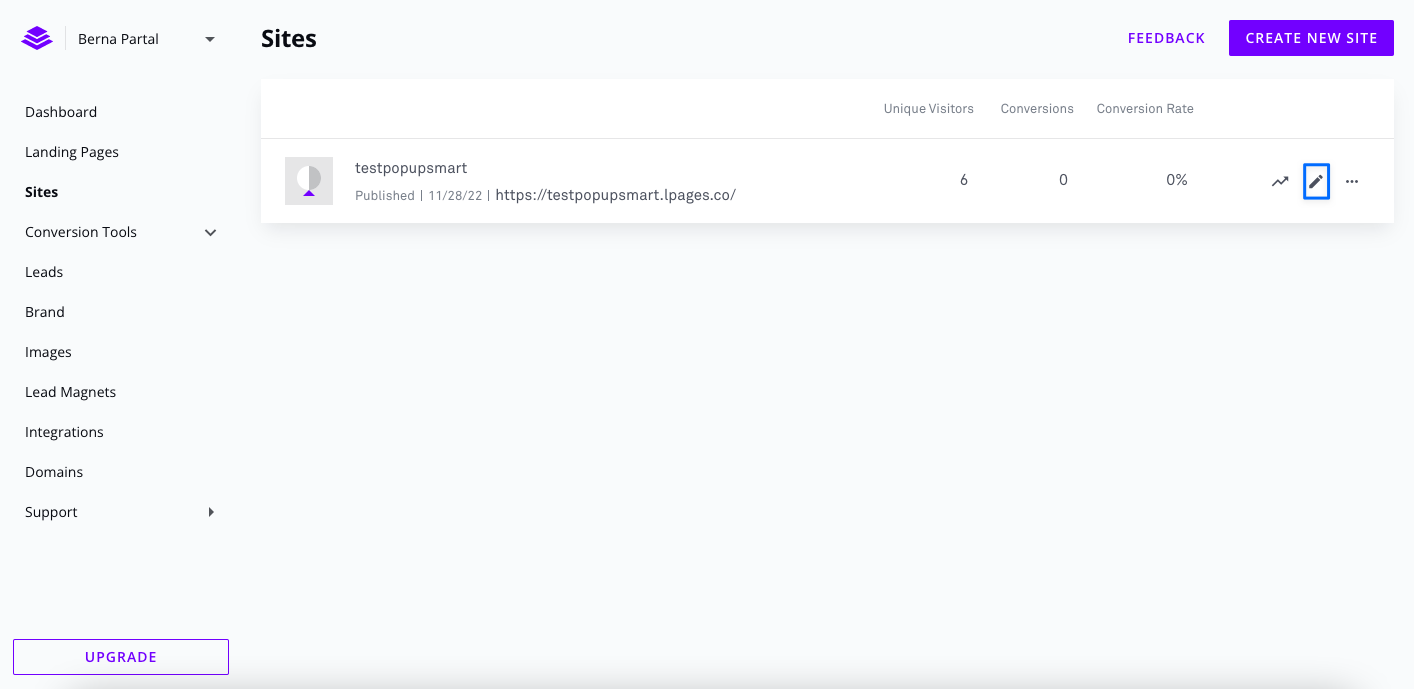



 But ultimately, I switched to Popupsmart because of its simplicity + advanced targeting in one clean UI.
 How I Added a WiserNotify Video Popup:
 Common MISTAKES to Avoid:
 Don’t spam visitors with multiple popups.
 Just wanted to clarify a FAQ I get all the time from design clients:
 “Do I need coding knowledge to use Popupsmart with LeadPages?”
 What works for me: