Have you noticed that a CTA button in your mobile popup does not open its destination URL when visitors use Safari?
This can happen when the button action is configured to open a link in a new tab. Safari applies stricter popup and new window blocking rules than some other browsers, particularly on iPhone and iPad. As a result, the visitor may tap the CTA button, but the new tab may not open as expected.
A practical solution is to create a separate version of your popup specifically for Safari users.
How to Set It Up in Popupsmart
-
Duplicate your existing popup campaign.
-
Open the duplicated campaign and select the CTA button.
-
Keep the same destination URL, but change the button action from opening the link in a new tab to opening it in the current tab.
-
Go to the Segment section and add Browser Targeting .
-
Configure the duplicated popup to appear only on Safari.
-
Update the targeting settings of your original popup so it appears on other browsers but not Safari. This prevents both campaigns from being displayed to the same visitor.
-
Publish the campaigns and test the Safari version on a real iPhone or iPad.
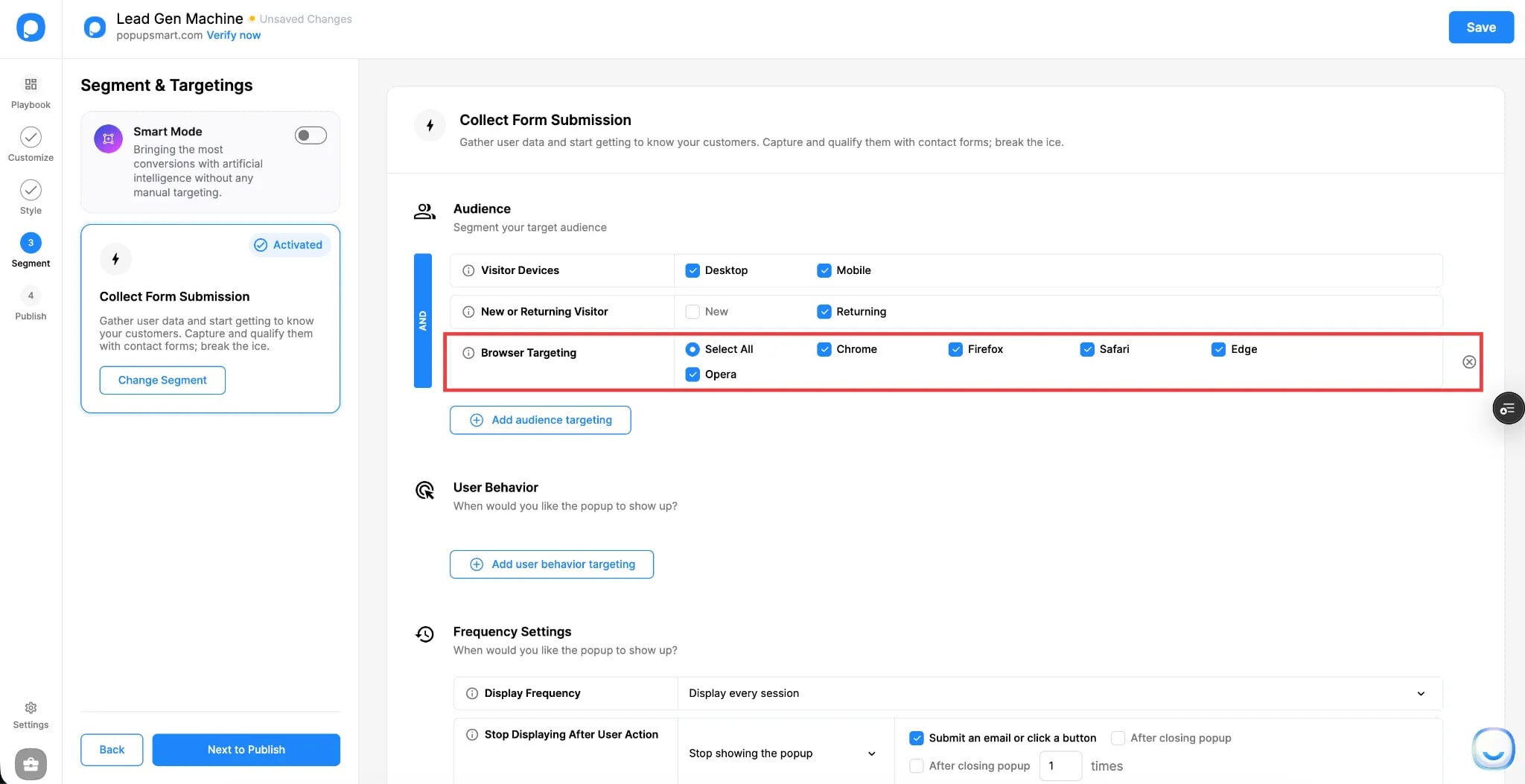
With this setup, Chrome, Firefox, Edge, and other supported browsers can continue using the original new-tab action. Safari visitors will see the alternative popup, where the CTA redirects them in the current tab.
A Few Things to Check
Make sure both popup versions use the same CTA URL, campaign message, display frequency, and mobile targeting settings. It is also helpful to keep separate campaign names, such as:
- Mobile Popup | Standard Browsers
- Mobile Popup | Safari Current Tab
This makes it easier to compare campaign analytics and identify browser-specific performance differences.
Opening the CTA link in the current tab may not be the preferred experience for every campaign, but it is a reliable workaround when Safari prevents a mobile popup button from opening a new tab.
Have you experienced this issue with Safari popup CTA links? Share your setup and results below.